
Deleting your User Account
We are committed to protecting your privacy. We use the information we collect on the site to make shopping at Waiter.com possible and to enhance your overall shopping experience. We do not sell, trade, or rent your personal information to others.
But in case you want to delete your account, we have an in-app delete feature for both Android and iOS Waiter.com Food Delivery apps, as shown below.
Or, you can request deletion of your account from this page by clicking here and sending an email to us with the email address or username associated with the account you wish to delete. We will send you an email, that you’ll need to reply to, to confirm your identity. Once you reply, we will delete your account.
iOS
1. Navigate to the ‘Profile tab’ and Click on the ‘Delete Account’ menu.
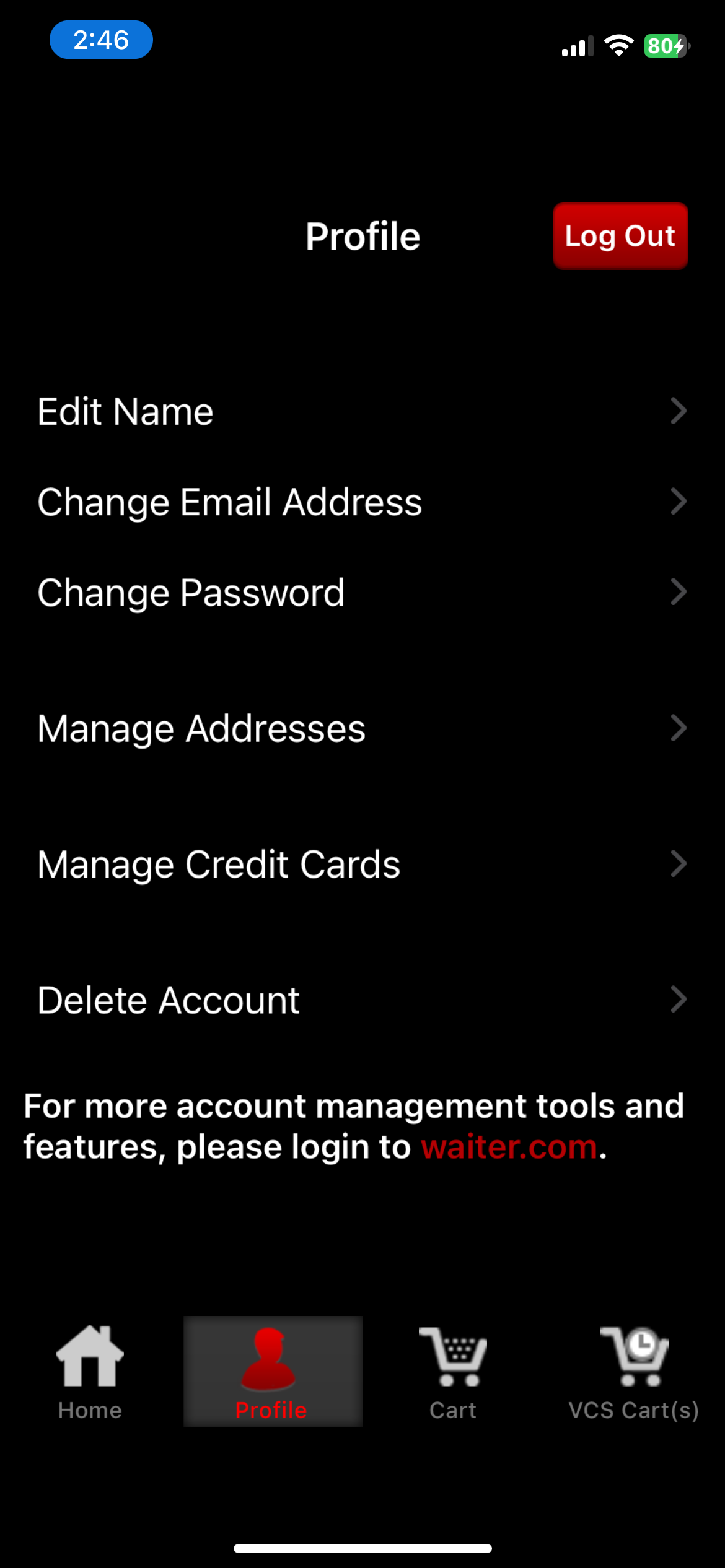
2. A confirmation page will be shown. Press ‘Delete My Account’ to continue. Note that this is an irreversible process and the system will delete all your records.
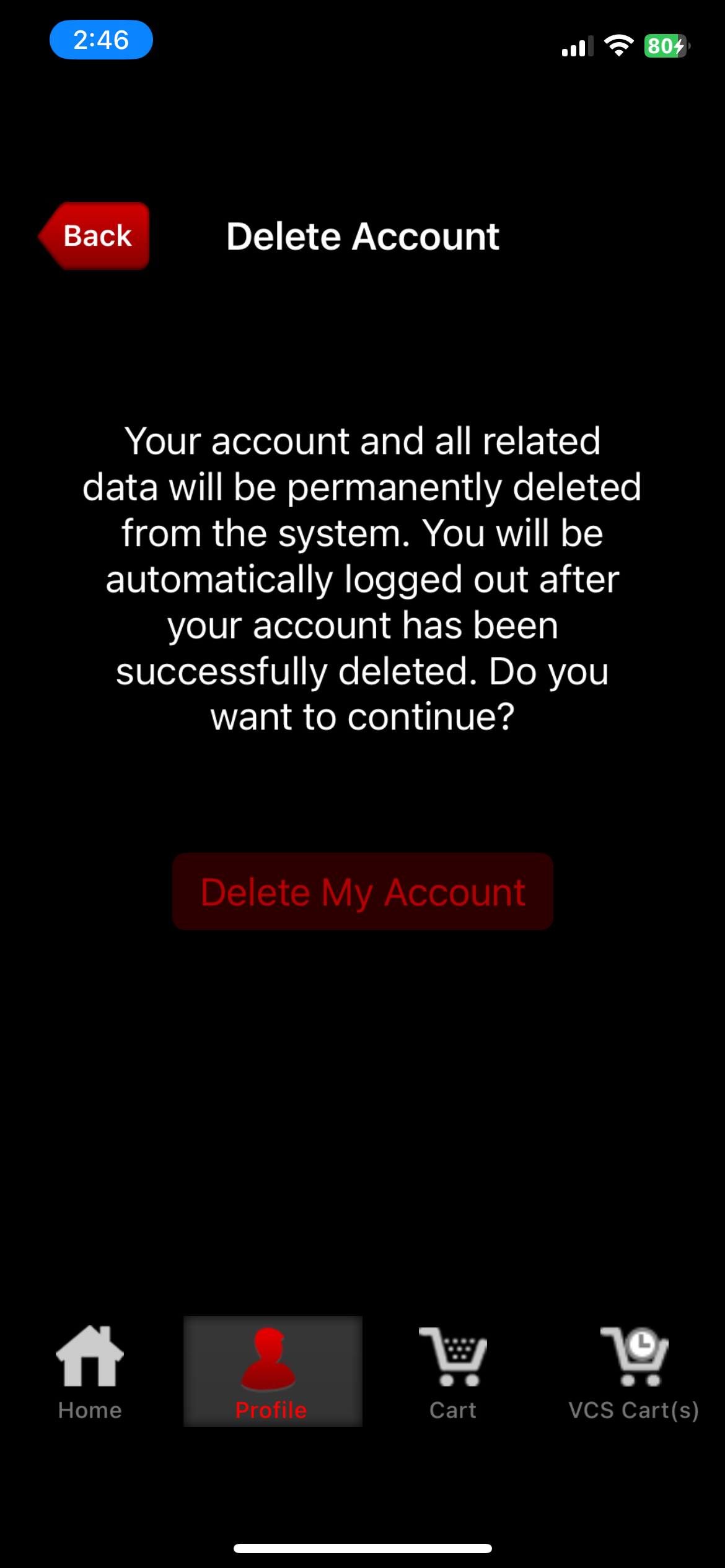
3. A success notice will display and you will immediately be logged out of the app.
Android
1. Navigate to the ‘Profile tab’ and Click on the ‘Delete Account’ menu.
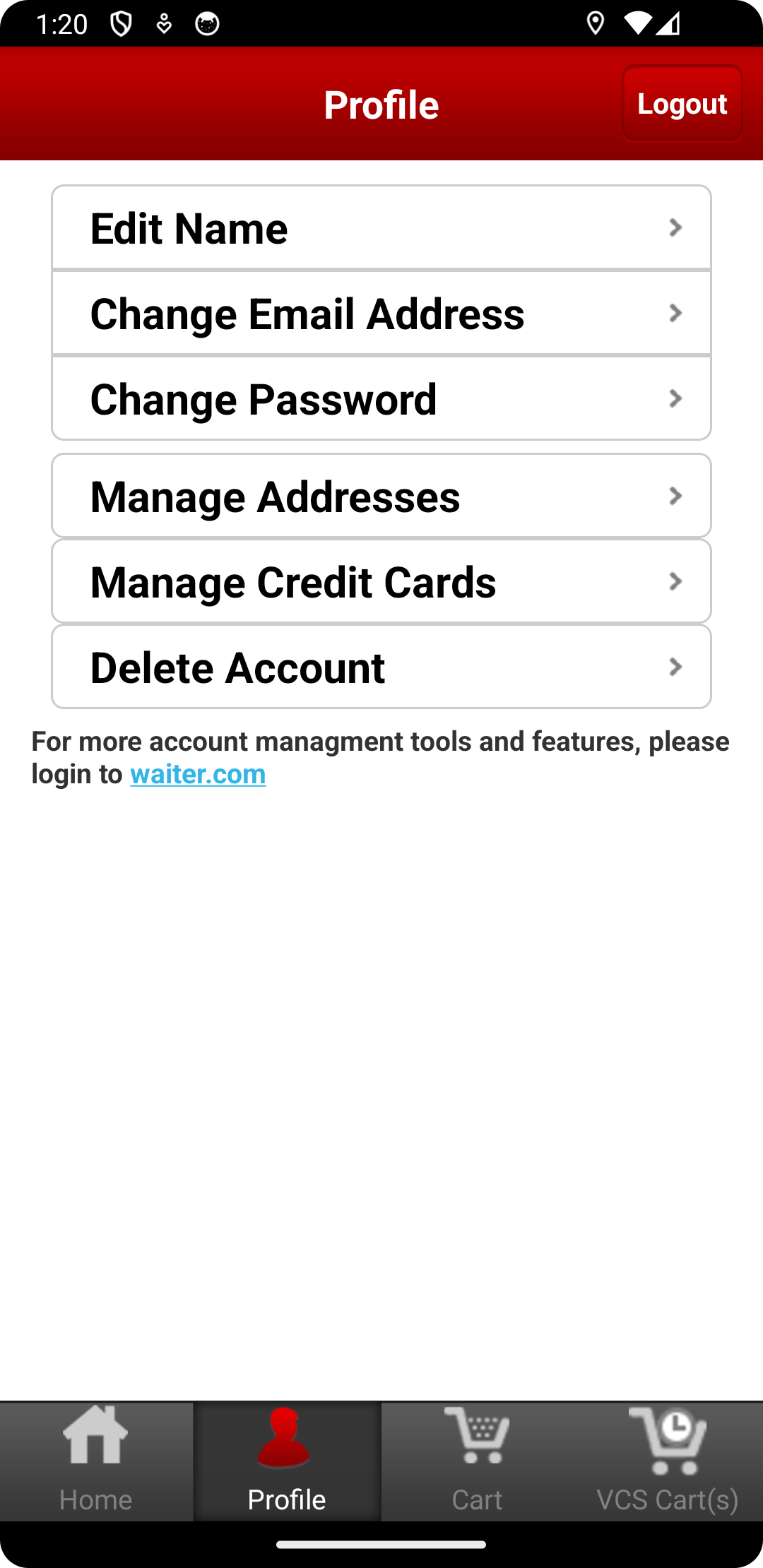
2. A confirmation page will be shown. Press ‘Delete My Account’ to continue. Note that this is an irreversible process and the system will delete all your records.
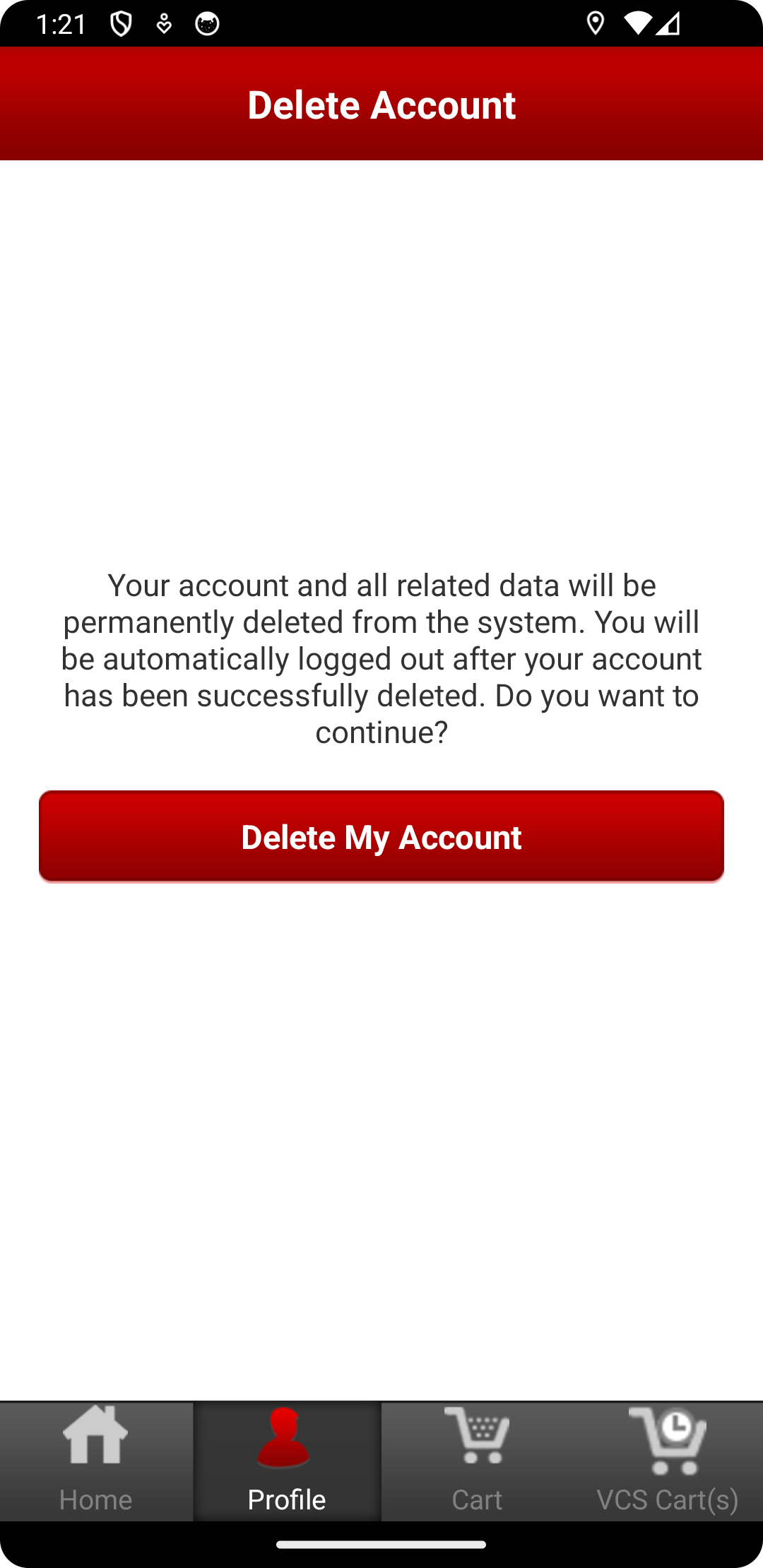
3. A success notice will display and you will immediately be logged out of the app.